How to Change Leverage on MT4: Steps, Risks, and What to Do First
 By
Sam Reid
By
Sam Reid
To change leverage on MT4, you log in to your broker’s client portal, open your account settings, select your MT4 account, choose a new leverage ratio, and confirm. The one detail most guides leave out: MT4 itself has no leverage setting. The platform is where you view charts and place trades, but leverage lives entirely in your broker’s system, so every change happens on their portal, not in the software.
This guide covers the exact steps, how to check your current leverage inside MT4, the one thing to do before you change anything, and how to pick a ratio that fits your account rather than the highest number on offer.
Why MT4 Does Not Control Leverage
MT4 is the interface. It streams prices, draws charts, and sends your orders to the broker. Leverage sits a layer beneath that, in the broker’s server, which is why you cannot change it from inside the platform.
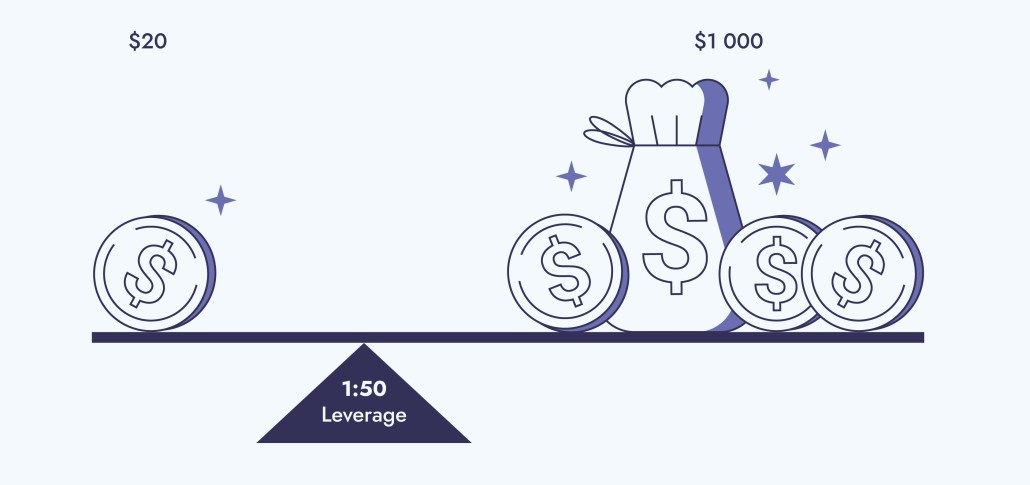
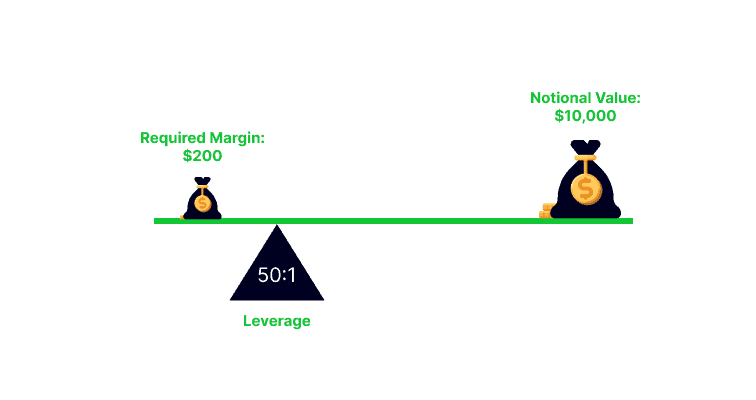
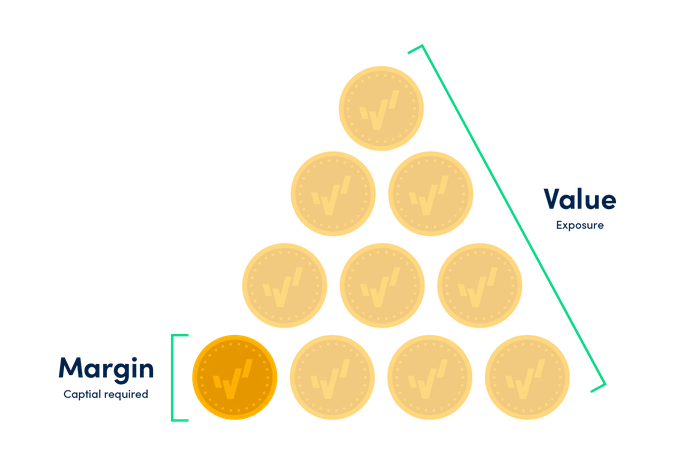
Leverage lets you control a position larger than your account balance. At 1:100, a trader with 1,000 dollars can open a position worth 100,000 dollars. That raises your profit potential and your loss potential by the same multiple, which is why the ratio you choose matters as much as the trades you take.
The maximum leverage available to you depends on where your broker is regulated, your account type, and your experience.
| Region / regulator | Retail leverage cap |
|---|---|
| European Union (ESMA) | 1:30 |
| United Kingdom (FCA) | 1:30 |
| Australia (ASIC) | 1:30 |
| United States | 1:50 |
| Offshore jurisdictions | 1:500 or higher |
Do This First: Close or Check Your Open Positions
Before you change anything, deal with your open trades. Lowering your leverage increases the margin required to hold existing positions, and if your account cannot cover the higher requirement, the broker can close some of those positions automatically.
The safest approach is to have no open positions when you change leverage. If that is not practical, at least confirm you have enough free margin to absorb the higher requirement before you submit the change. Skipping this step is the most common way a routine leverage adjustment turns into an unexpected closeout.
How to Check Your Current Leverage in MT4
You can read your current leverage without leaving the platform, which is useful before deciding whether to change it.
In the MT4 desktop terminal, open the Navigator panel with Ctrl+N, then click Accounts. Your leverage is usually shown alongside the account number. Some brokers also display it in the account information area. If you cannot find it there, the most reliable place is your broker’s client portal, where the leverage figure sits in the account details.
How to Change Leverage on MT4, Step by Step
When traders talk about changing leverage on MT4, what they are really doing is changing it through the broker’s account tools. Menu labels differ between brokers, but the pattern is the same everywhere.
- Log in to your broker’s client portal, on web or through their app.
- Go to the account management or “My Accounts” section.
- Select the specific MT4 account you want to change.
- Find the option labelled “Change Leverage,” or something similar under account settings.
- Choose your preferred ratio from the list the broker offers.
- Submit and confirm. Some brokers apply the change instantly; others require approval or a short review.
After submitting, confirm the change went through by checking your email or the portal, and verify the new figure in MT4 using the Navigator method above.
If you cannot find the option
Not every account can self-serve a leverage change. The option may be hidden for certain regions or account types, or restricted by your broker’s policy. If it is missing, that usually means it is not available for your account rather than that you have looked in the wrong place. Contact your broker’s support team or account manager, who can either make the change or explain why it is fixed.
Leverage Does Not Change Your Risk
One idea separates traders who use leverage well from those it burns. Changing your leverage ratio does not, by itself, change the risk on a given trade. It moves your liquidation line closer or further away, but the loss you take if the market moves against a position depends on the size of that position and your stop-loss, not on the ratio you selected.
A one standard lot EUR/USD trade loses the same amount per pip whether your account is set to 1:30 or 1:500. What higher leverage changes is how much margin that trade ties up, and therefore how many positions you can open at once. That flexibility is exactly what tempts traders into oversized exposure. Lower leverage forces smaller positions and leaves more of your equity free to absorb losses, which is why it is the safer default for most people.
Choosing the Right Leverage Ratio
Knowing how to change the setting is the easy part. Choosing a level that suits your strategy, your risk tolerance, and your experience is the decision that shapes your results.
- Beginners often start around 1:10 or 1:20, which softens the impact of volatility and leaves more room before losses become serious.
- Traders with some experience may use 1:50 or 1:100 depending on their style and how tightly they manage risk.
- Experienced traders sometimes run higher ratios, but only with strict position sizing and stop-losses in place.
Ratios like 1:500 are tempting because they free up so much margin, but that same freedom is what makes them dangerous on a small account. High leverage should be a deliberate choice inside a disciplined plan, never the default you accept because the broker offered it.
A Worked Example of Leverage Impact
Say you have 1,000 dollars and select 1:100 leverage. You could open positions worth up to 100,000 dollars. A 1% favourable move would roughly double your account, but a 1% move against you could wipe it out entirely.
Choose 1:20 instead and your maximum position size drops to 20,000 dollars. That same 1% move becomes a 200 dollar gain or loss, which leaves you far more room to recover if the trade goes wrong. Same market, same percentage move, very different outcome, purely because of position size.
Best Practices for Using Leverage
- Set a stop-loss on every trade to cap your maximum loss.
- Risk only a small share of your account per trade, with many traders aiming for 1% to 2%.
- Test any new leverage level on a demo account before applying it to live money.
- Avoid the highest available ratio simply because it exists.
- Keep an eye on your margin level, especially during volatile periods.
Common mistakes to avoid
A few errors show up again and again. Raising leverage during a losing streak to try to win the money back faster is the most damaging, because it increases exposure exactly when your judgement is under pressure. Forgetting that lowering leverage raises the margin on open trades is another, and it can trigger a closeout you did not see coming. And overestimating your ability to handle larger positions catches out traders who confuse a bigger account balance on screen with genuine risk capacity.
Frequently Asked Questions
How do you change the leverage on MT4?
You change it through your broker, not in MT4 itself. Log in to the broker’s client portal, select your MT4 account, choose the “Change Leverage” option, pick a new ratio, and confirm. The change applies on the broker’s server and is reflected in MT4 afterwards.
Can I change my leverage whenever I want?
Usually, but not always. Most brokers allow it, though availability depends on your region, account type, and the broker’s policy. Some changes are instant, others need approval, and certain accounts cannot self-serve a change at all, in which case you contact support.
Should I close my positions before changing leverage?
It is the safest approach. Lowering leverage increases the margin needed to hold open trades, so if your free margin is thin, the broker may close positions to cover the higher requirement. Having no open trades when you change leverage avoids that risk entirely.
What leverage is good for a 10 dollar account?
A very small balance often needs higher leverage just to open a position, but that also raises the risk sharply. Trading micro-lots with more modest leverage gives you more control and a longer runway than maximising the ratio.
Is 1:500 leverage good for small accounts?
It lets a small account control large positions, but even small price moves can then cause large losses. For most traders starting out, lower leverage is safer because it forces smaller positions and leaves more equity free to absorb a bad trade.
Does changing leverage reduce my risk?
Not on its own. Leverage changes how much margin a trade uses and where your liquidation point sits, but your actual risk comes from position size and stop placement. A disciplined approach to sizing and stops matters more than the ratio you choose.
Final Thoughts
Changing leverage on MT4 is a quick job done through your broker’s portal: select your account, choose a ratio, confirm. The harder and more important part is choosing a level that fits how you trade, and remembering that the ratio moves your liquidation line without changing the risk built into each position. Clear open trades first where you can, test changes on a demo account, and make sure your risk management can handle the exposure before you take it live.
Share this article!


Recent News
How to Compare Trading Platforms When You Are Based in the Gulf: Costs, Regulation and Access to UK and US Markets

How to check your credit score in the UAE
How Many Free Zones in Dubai? and Why It Barely Matters

Featured
No reviews found.
No reviews found.



No reviews found.
No reviews found.